
Princeton researchers found that physical clutter competes for your attention and measurably reduces your ability to focus.
Why a Clean Home Office Matters
A Princeton University Neuroscience Institute study found that physical clutter competes for your attention, reducing your ability to focus and process information. A Harvard Business Review analysis showed that workers in clean environments were 5 percent more productive and made fewer errors than those in cluttered spaces.
Your home office also has unique cleaning challenges that bedrooms and living rooms do not. Electronics collect dust that degrades performance and shortens lifespan. Keyboards harbor more bacteria than toilet seats. Monitor screens develop a film that causes eye strain. And the desk surface — where you spend 8 or more hours daily — accumulates oils, coffee rings, and dust that you may not notice until the buildup is significant.
Cleaning Electronics Safely
Monitor and Laptop Screen
- Turn off and unplug the monitor. Let it cool for 10 minutes.
- Wipe with a dry microfiber cloth in gentle circular motions to remove dust
- For fingerprints and smudges, lightly dampen a microfiber cloth with distilled water — no cleaning solutions
- Never spray liquid directly on a screen — it can seep behind the bezel and damage the panel
Do not use paper towels, tissues, or regular cloths on screens. These materials are abrasive at a microscopic level and create fine scratches that accumulate over time, reducing display clarity.
Keyboard
- Turn the keyboard upside down and gently shake to dislodge loose crumbs and debris
- Use compressed air to blow out particles from between the keys
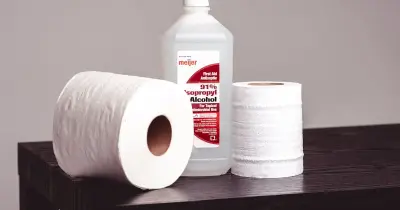
- Wipe the key surfaces with a cloth dampened with 70 percent isopropyl alcohol
- Use a cotton swab dipped in alcohol to clean between and around individual keys
Mouse and Peripherals
- Wipe the mouse surface and buttons with an alcohol-dampened cloth
- Clean the sensor lens on the bottom with a dry cotton swab
- Wipe phone handsets, headset ear cushions, and webcam lenses with alcohol wipes
Desk and Workspace Surfaces
Your desk surface needs more than a quick wipe to be truly clean:
- Remove everything from the desk — keyboard, monitor, papers, all of it
- Dust the entire surface, paying attention to corners and edges where grime collects
- Clean with an appropriate surface cleaner — wood polish for wood desks, a mild all-purpose cleaner for laminate or metal
- Wipe down the desk lamp, organizers, and any other items before placing them back
- Declutter as you replace items — if you have not used it in 30 days, it does not belong on your desk
Maintaining a Clean Home Office
Build these habits into your work routine to maintain a clean, productive workspace:
- End-of-day reset: spend two minutes clearing your desk surface, wiping down the keyboard, and putting away stray items
- Weekly: dust all surfaces including shelves, window sills, and electronics
- Monthly: deep clean electronics with alcohol, vacuum the floor and under the desk, wipe baseboards
- Quarterly: clean windows, blinds, and light fixtures in the office
A clean workspace is not about perfection — it is about reducing the visual noise that competes with your ability to think clearly. Two minutes of tidying at the end of each workday pays dividends in focus the next morning.
If maintaining your home office alongside the rest of your home feels overwhelming, our recurring cleaning service includes home office cleaning service as a standard room. We handle the dust, surfaces, and floors so you can focus on your work.
Related Service Option
Cleaning Your Home Office: A Productivity-Boosting Guide has been reviewed for service relevance and connected to Office Cleaning. If the task is larger than a quick DIY clean, SparkTex can scope the related service for North Houston homes and businesses.
SparkTex Cleaners
Professional cleaning team serving North Houston. Our Satisfaction Commitment (concerns within 24 hours of completion).